
How To Approve Phone Charm Kits Across Case Models
If you buy phone charm kits for several case models, one fitting can leave part of the range unsupported. Start with the actual cases.
List the case attachment, connector and charm separately on your brief. Approve one installed sample for each case family before placing the order.
Decide What The Accessory Will Include
Start by drawing the entire path from the case to the decorative piece. Name each part and mark where the path joins the case.
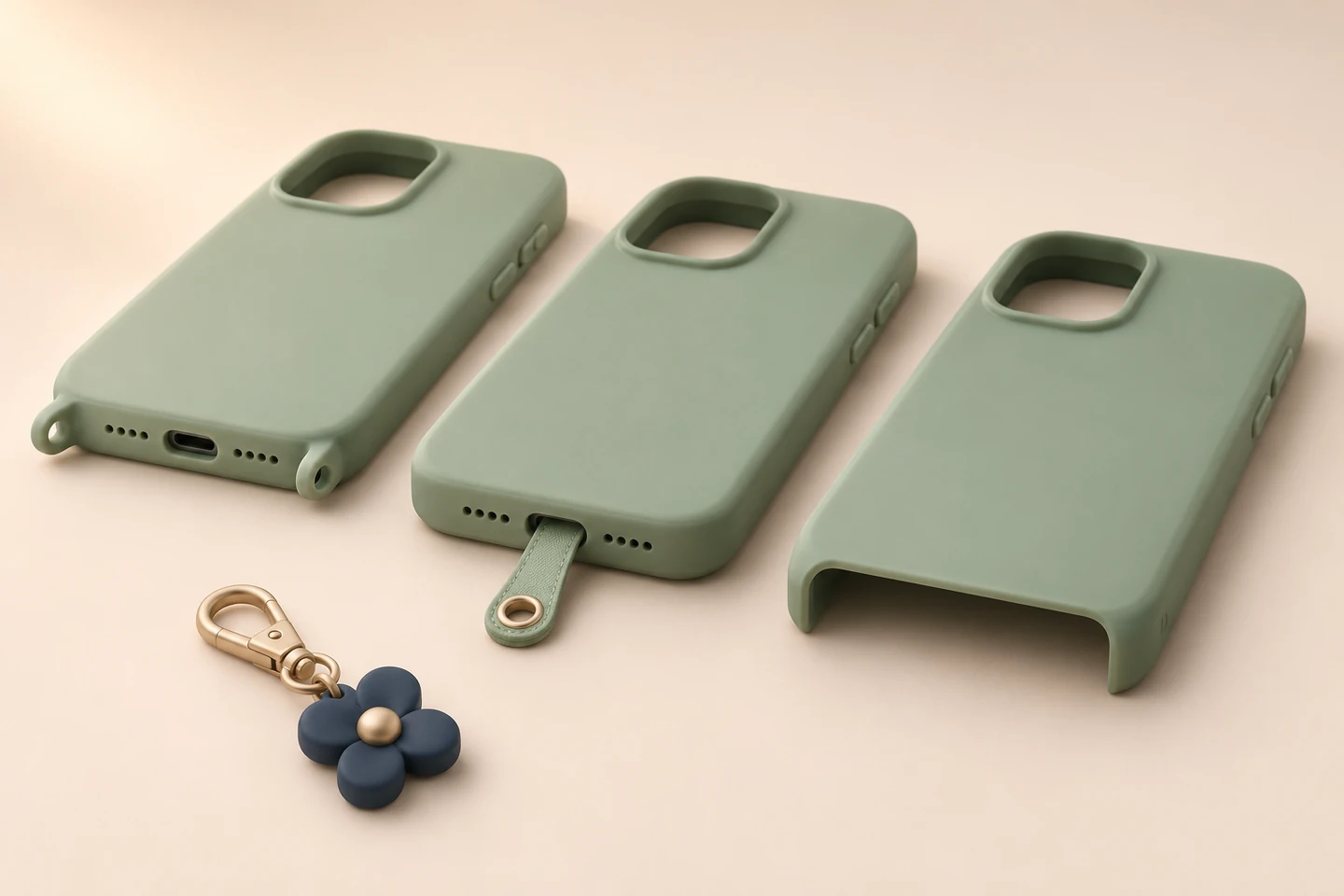
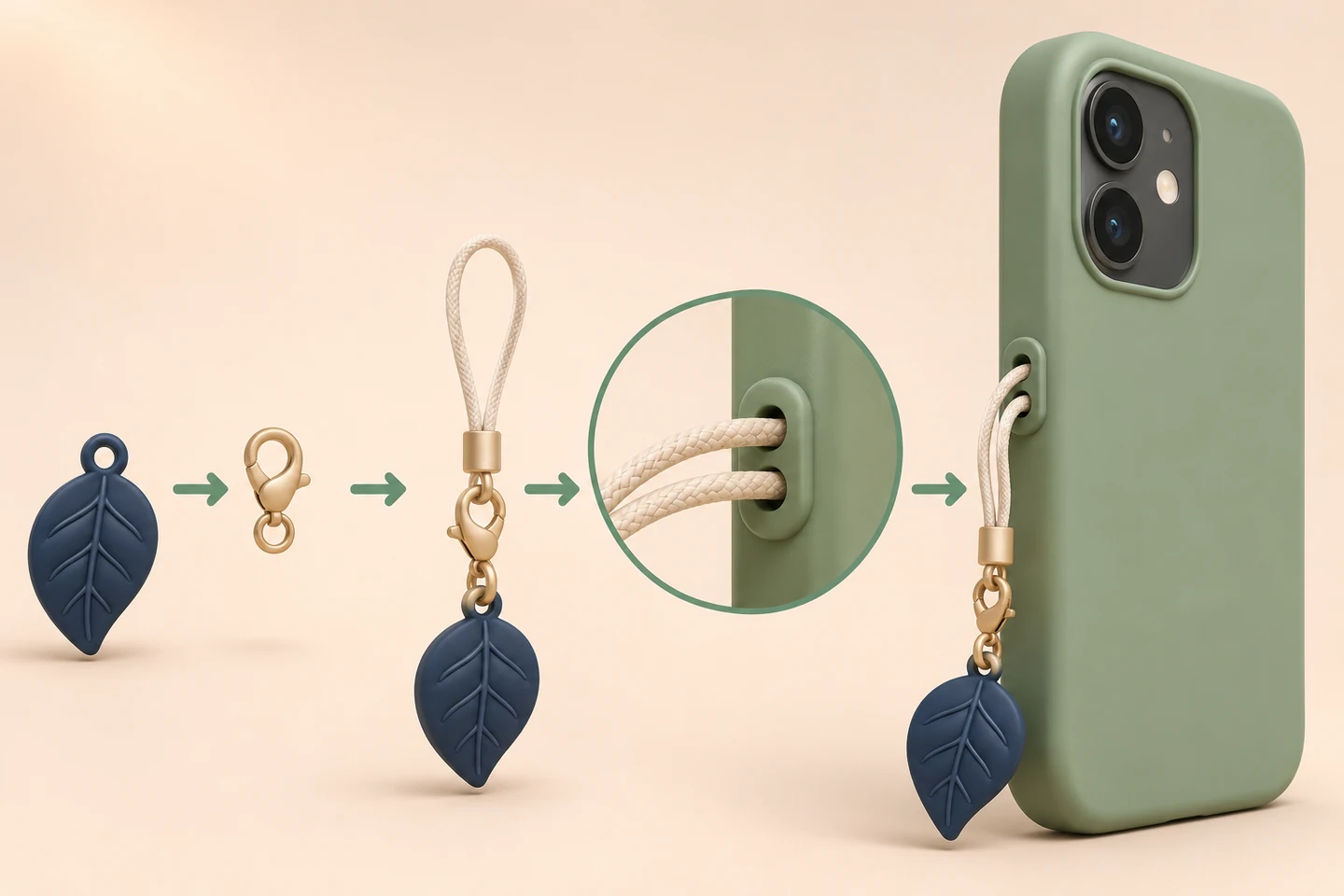
A case attachment may use molded holes or a compatible tether tab. A cord or link joins the attachment to the decorative piece.
Decide which parts the customer should receive. A branded metal charm body and a kit fitted to a specific case are different purchase orders.
Ask the supplier to show exactly where their delivery ends. A quote may cover only the decorative body or include connectors and packing.
Show which pieces arrive fitted and which are loose. If your fulfilment team joins the parts, give them a sample and an agreed assembly drawing.
For a custom metal phone charm, supply the artwork and the expected assembly path. Discuss any cord or fitting as a separate line item.
Group Case Models By Their Actual Attachment Point
Record each case model and revision you intend to support. Include the phone model because two case versions may fit the same device.
Inspect a physical example of each case family. Note whether its loop holes, edges, buttons and lower opening match the reference drawing.
A case with molded holes may accept a cord routed through those holes. Show the inner and outer sides so the supplier can review access.
A tether tab sits between the case and device in some designs. Check the tab exit, case closure and access for the intended cable.
An open lower edge may not hold a proposed tab as intended. Treat that combination as unapproved until you review the actual assembled sample.
| Case Feature | What To Record |
|---|---|
| Molded holes | Hole locations, path through the case and the cord dimensions proposed for that path. |
| Tab exit | Opening shape and the tab, case and phone models used in the sample. |
| No verified mount | Which combination remains open and who will review a compatible alternative. |
Keep model groups small until you have confirmed what the cases share. A similar name or colour alone cannot establish that the attachment geometry matches.
Give Each Case Family A Clear Status
Use a status column for untested, in review, and approved cases. Add the date and reference for the sample behind each approval.
Keep a photo or drawing of any case the attachment supplier has examined. Note whether it came from your factory or from a third party.
Ask your sourcing team to flag cosmetic shells sold under the same family name. Check changes in the opening or sidewall before grouping these models.
If you cannot get one of the cases, leave it out of the initial kit claim. Add it only after reviewing a representative physical assembly.
Write A Separate Approval Line For Each Part
Use one record for the case attachment, another for the decorative charm, and another for the connecting hardware. Tie them together with an assembly reference.
For the case attachment, identify the proposed cord or tab and its position. Record how it sits after the case is fitted to the phone.
For the charm body, provide the artwork, finish reference and orientation. Show which side should face outward when the piece hangs at rest.
For the connector, specify the proposed part and its role. Ask how it closes, which opening it passes through, and who installs it.
Keep Decorative And Carrying Parts Separate
State the role of the finished accessory in the brief. If it is decorative, describe the intended display and how it hangs from the case.
Refer any separate carrying or retention requirement to the team responsible for that product. Agree on requirements and evidence before making performance claims.
Review logo charm components if your own assembly team supplies the case and connectors. Use an approved drawing to match the parts.
Review One Installed Sample For Each Approved Case Family
Fit the exact device into the exact case in your sample record. Take photos of the attachment point from both sides after assembly.
Check that the case seats normally around the phone and that the attachment stays in the specified position. Compare the result against the approval drawing.
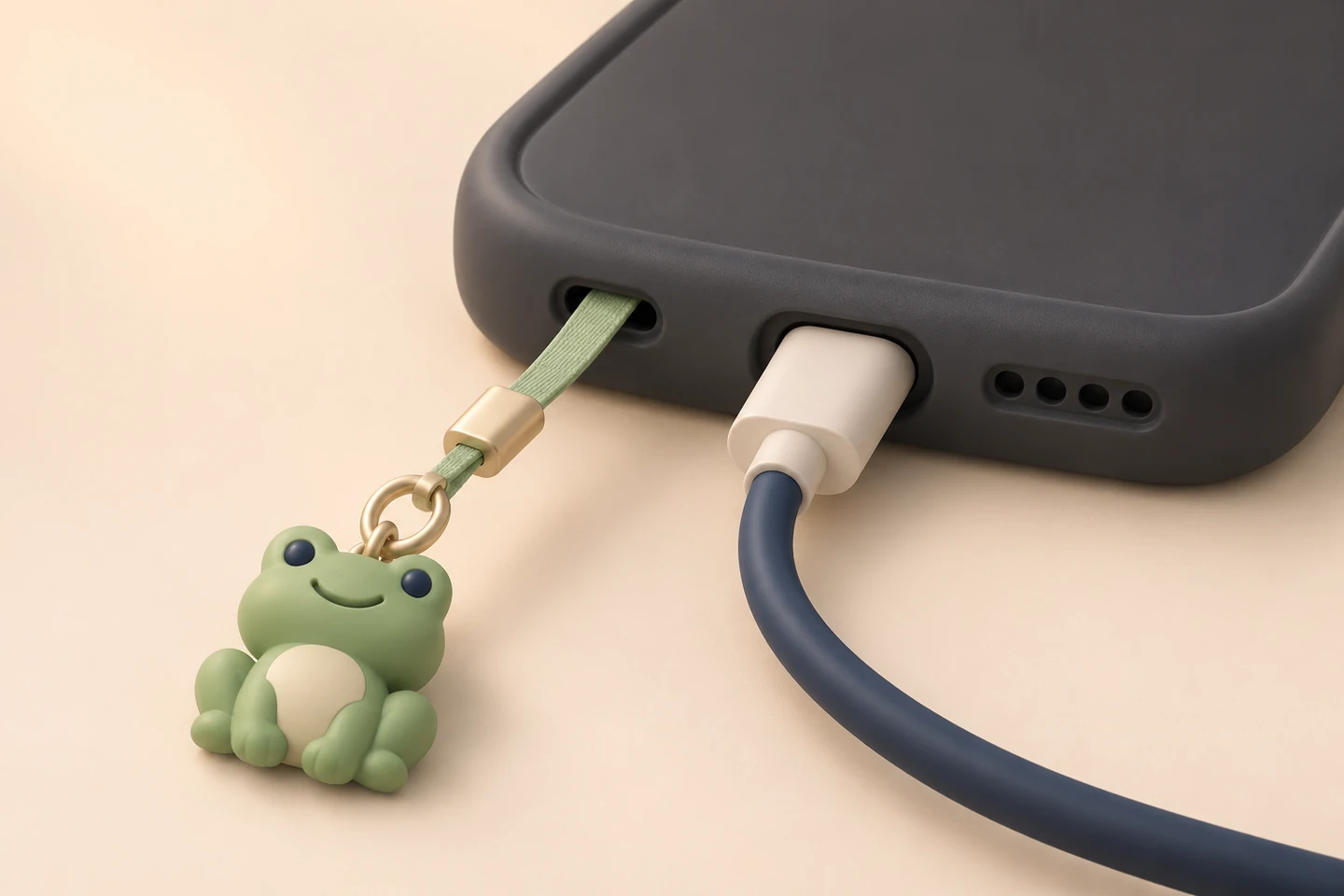
Try the intended cable and check the buttons your customer will use. If a tab blocks access or changes how the case fits, record the issue.
Watch how the decorative piece rests and moves during normal handling. Check whether any metal edge contacts the case or nearby surfaces in that setup.
- Match the physical case, phone, charm and connector to the approved part references.
- Record the cable used and any clearance issues that affect your intended bundle.
- Review the finished orientation of the charm and note any unwanted contact.
- Mark untested combinations as open rather than grouping them with approved samples.
Ask who should review fit again if a case, cable or attachment part changes. Save approval photos with the component references and the sample date.
Document What A Failed Fit Looks Like
Ask the reviewer to mark where the case lifts or where a fitting rubs. Include a photo taken with the device in the case.
Identify whether the issue comes from the case, tab, connector or fitting path. Ask the responsible supplier to respond to the exact combination tested.
Record proposed changes against the sample that failed. Approve the revised combination on its own reference before changing the list of supported cases.
If several combinations fail for different reasons, give each its own review line. A shared decorative body does not make the same correction suitable for all.
Compare Quotes By Approved Assembly And Case Count
Give suppliers the number of complete kits you need and the number of case families. Record which parts are common and which vary by model.
Ask for the unit price at the same supply boundary. Add any separate work your team would own, including assembly, sorting or packaging by case.
For example, one charm design may need two cords and a separate tab option. The common decorative piece does not make the three kits interchangeable.
List the quantity by approved combination. Confirm any minimum order or sampling charge that applies when a connector or tab is different.
Ask how spare connectors or test samples will be packed. Give those parts their own codes so the warehouse can separate them from customer units.
If your range also includes bag charms, keep their hardware listed separately. The mounting loop and installation task can differ from a phone case.
Ask suppliers to split sample charges by assembly where the reviews differ. One approved charm finish may serve multiple kits while case fit is verified separately.
Give your supplier the planned quantities by region when case assortments differ. Check which variants can be assembled together and which require dedicated sorting.
If one fitting is unavailable, ask for the stock impact and an alternative. Keep the substitute out of production until the affected case reviews are complete.
Send The Warehouse A Match List
Write the supported case model, kit code and included parts on the same document. Give stores and fulfilment teams the version approved for packing.
Ask the receiving team to compare each kit against the approved sample and part list. Record mixed connectors or missing inserts by kit code.
Label The Combo Customers Can Use
Show the approved case or kit references on the package and fitting guide. State where customers can check if their case is included.
If a component changes, check the fitted assembly before updating the pack. Keep old and new versions separate until the revised kit is released.
Save the exact fitting images used on the instruction sheet. Review the sheet alongside a packed sample and confirm a new reader can follow it.
Keep a short list of unresolved combinations for the next order. That gives your sourcing team a clear starting point if the range expands.
Ask the support team to record which kit the customer received and which case they tried. A shared code list helps them identify the mismatch quickly.
Frequently Asked Questions
Can One Charm Body Be Used With Different Case Families?
Yes, the same decorative body can be paired with different approved attachment kits. Verify the complete combination separately for each family.
What If The Supplier Only Has A Case Drawing?
Use the drawing to identify likely clearance problems. Arrange a physical case and device review before listing the combination as approved.
Should A Spare Attachment Go Into Every Pack?
Decide whether it belongs in the customer kit or your service inventory. Assign a quantity and a code so it is counted correctly.
Can We Approve Fit With A Display Dummy?
A dummy may help check placement if its dimensions match the intended device. Use the actual device to confirm case seating and intended access.
What If The Case Supplier Changes Its Mold?
Request the revised reference and an updated sample. Repeat fit checks where openings, thickness or surfaces along the connection path have changed.
Does The Same Cord Work With Every Molded Eyelet?
Measure the proposed path on each case and check it with the actual cord. Consider both the opening and the space available during fitting.
Final Thoughts
Start with your case list, intended connection and one installed sample. Review custom charm options or send your attachment brief to discuss the parts you need.